
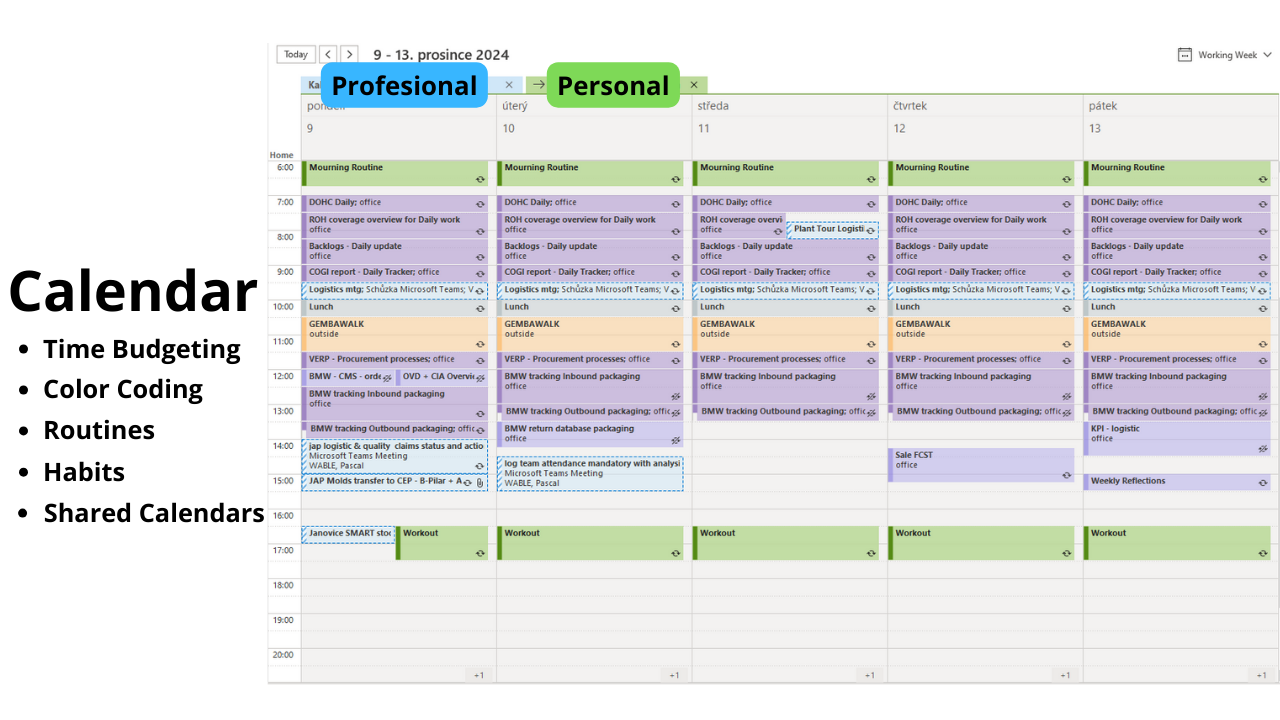
Build Strong Habits with Outlook Calendar
Effortlessly organize your schedule and tasks for maximum productivity
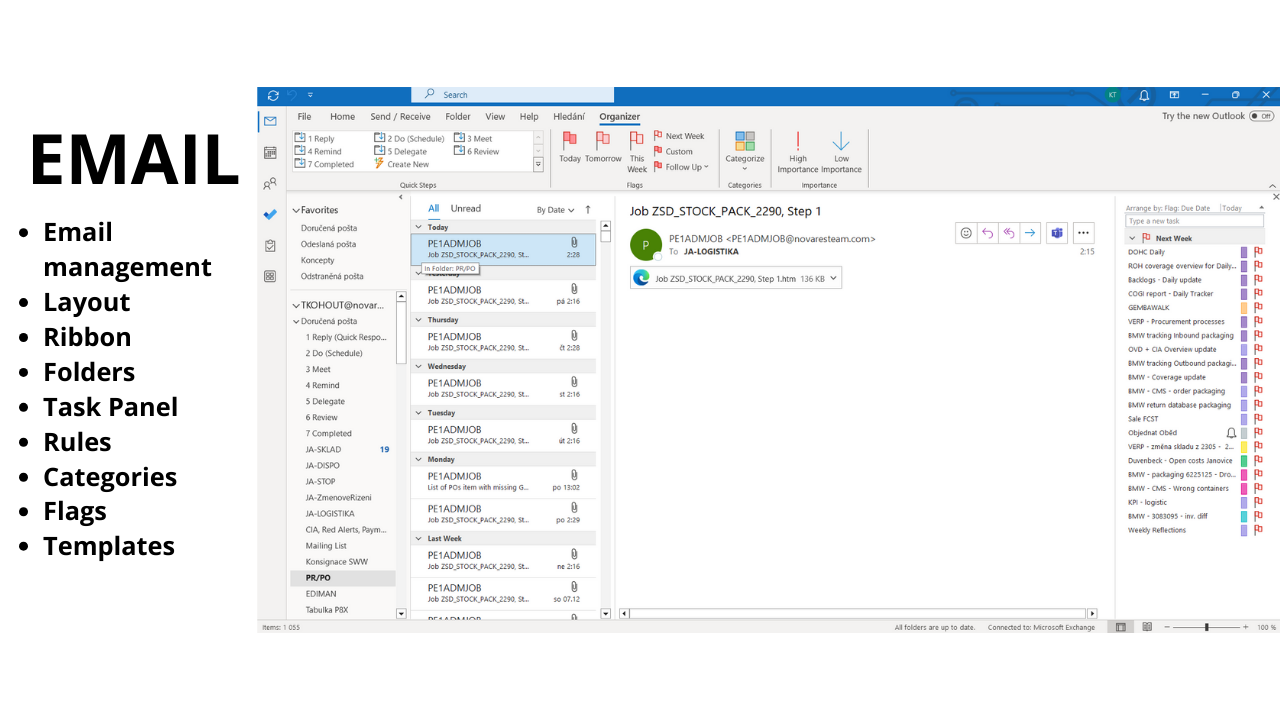
Streamline Your Email Management with Outlook
Simplify your email workflow and stay on top of important communications
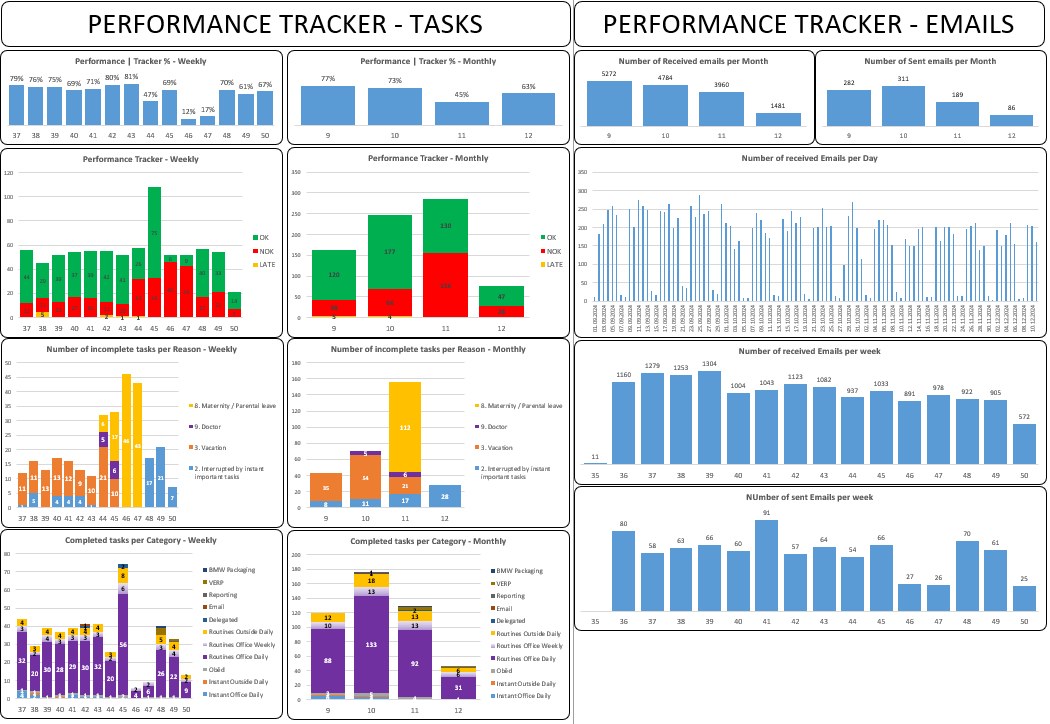
Boost Productivity and Efficiency with Task Management and Performance Tracker
Track performance metrics and create impactful presentations with ease
Transform Your Workday with Digital Second Brain
In this course, we focus on key elements of the Productivity Roadmap, empowering you to master your tasks, emails, meetings, and presentations. Say goodbye to unnecessary mental clutter and hello to streamlined efficiency. Join us to build a digital second brain that saves you time and enhances your productivity.

Meet Your Instructor - Tadeas Kohout
As a productivity expert and with over a decade of corporate experience, I understand the daily challenges you face in managing your work efficiently. Through this course, I aim to share practical strategies and tools that will revolutionize the way you work. Join me on this journey to unlock your full potential and achieve peak productivity.
The Books that Insired This Course
Their main ideas are applied to real life through my course. I spent many hours reading, analyzing, testing, and applying these principles. But thanks to this course, you don't have to. All you must do is follow my Instructions.
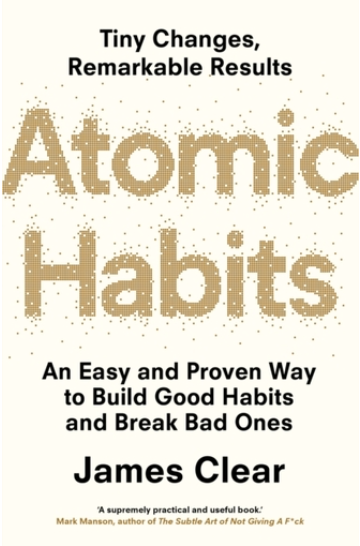
Atomic Habits
Atomic Habits offers a practical framework for building good habits, breaking bad ones, and improving consistently over time through small, incremental changes.

Building a Second Brain
Building a Second Brain provides a method for capturing, organizing, and synthesizing information to boost productivity and creativity.

Getting Things Done
Getting Things Done (GTD) provides a comprehensive system for managing tasks and commitments, aiming to reduce stress and improve productivity.
PROS and CONS vs Other Courses
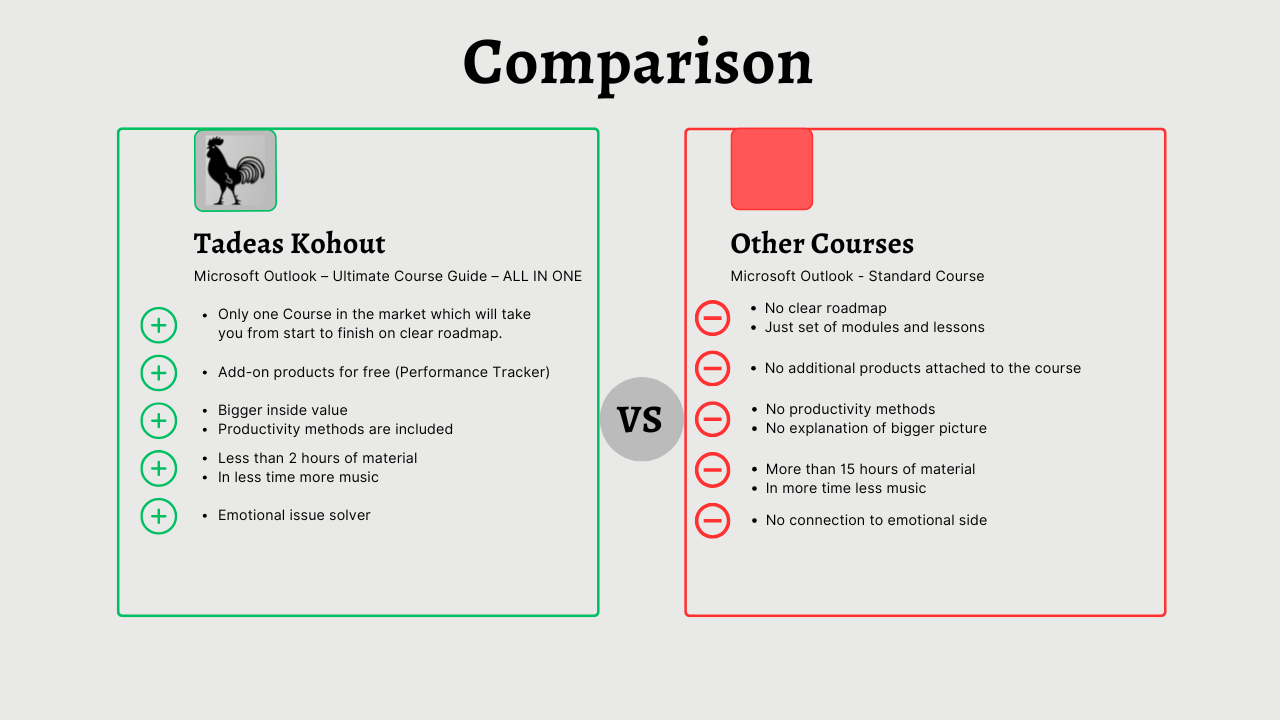
When I bought multiple online courses, I couldn't find any course which will tell me the exact setup which I should use to be efficient and productive. It is because these experts which created those courses are only experts for the application itself. But they never really use it with intension of productivity and efficiency. And trust me everything can be tracked, analysed and evaluated. Even office work.
Course Curriculum
-
1
Module 0 - Getting Started
-
2
Module 1 - Basics
- Lesson 1 – Change Office Theme Free preview
-
(Included in full purchase)
Lesson 2 – Best Outlook Layout for Productivity method
-
(Included in full purchase)
Lesson 3 – Quick Access Toolbar
-
(Included in full purchase)
Lesson 4 – Ribbon – Setup of Organizer
-
(Included in full purchase)
Lesson 5 – Multiple Email Accounts
-
3
Module 2 – Prepare Outlook for Productivity method
-
(Included in full purchase)
Lesson 6 – Create Folders
-
(Included in full purchase)
Lesson 7 – Create Categories
-
(Included in full purchase)
Lesson 8 – Create Quick Steps
-
(Included in full purchase)
-
4
Module 3 – Contact
-
(Included in full purchase)
Lesson 9 – Create & Edit & Favourites Contacts
-
(Included in full purchase)
Lesson 10 – Contact from Same Company
-
(Included in full purchase)
Lesson 11 – Contacts from Emails
-
(Included in full purchase)
Lesson 12 – Create Additional Address Books => not needed
-
(Included in full purchase)
Lesson 13 – Import & Export Excel Contacts
-
(Included in full purchase)
Lesson 14 – Create New Contact Group
-
(Included in full purchase)
Lesson 15 – Printing Contacts
-
(Included in full purchase)
Lesson 16 – Finding Contacts
-
(Included in full purchase)
Lesson 17 – Contact Views & Sorting
-
(Included in full purchase)
Lesson 18 – Forwarding Contacts
-
(Included in full purchase)
Lesson 19 – Link Contacts
-
(Included in full purchase)
Lesson 20 – Mail Merge
-
(Included in full purchase)
Lesson 21 – Send & Formatting a Business Card
-
(Included in full purchase)
-
5
Module 4 – EMAIL - Composing Messages
-
(Included in full purchase)
Lesson 22 – Create and Send Emails
-
(Included in full purchase)
Lesson 23 – Resending Email
-
(Included in full purchase)
Lesson 24 – Edit Sent & Received Messages
-
(Included in full purchase)
Lesson 25 – Formatting Messages & Set a default Font
-
(Included in full purchase)
Lesson 26 – Check Spelling, Grammar & Contextual
-
(Included in full purchase)
Lesson 27 – AutoCorrect & Autocomplete Behavior
-
(Included in full purchase)
Lesson 28 – Attach Files & Outlook Items
-
(Included in full purchase)
Lesson 29 – Page Colors & Inserting Pictures
-
(Included in full purchase)
Lesson 30 – SmartArt
-
(Included in full purchase)
Lesson 31 – Applying Themes
-
(Included in full purchase)
Lesson 32 – Stationary & Theme Messages
-
(Included in full purchase)
Lesson 33 – Custom Themes
-
(Included in full purchase)
Lesson 34 – Signatures
-
(Included in full purchase)
Lesson 35 – Insert Equations & Symbols
-
(Included in full purchase)
Lesson 36 – Insert Horizontal Line / Tables / Charts
-
(Included in full purchase)
Lesson 37 – Insert Quick Parts and Building Blocks / Templates
-
(Included in full purchase)
-
6
Module 5 – EMAIL – Sending & Receiving Emails
-
(Included in full purchase)
Lesson 38 – Replying to Messages
-
(Included in full purchase)
Lesson 39 – Forwarding Messages
-
(Included in full purchase)
Lesson 40 – Printing Messages
-
(Included in full purchase)
Lesson 41 – Deleting Messages
-
(Included in full purchase)
Lesson 42 – Email Importance & Sensitivity Settings
-
(Included in full purchase)
Lesson 43 – Voting Buttons in Email Messages
-
(Included in full purchase)
Lesson 44 – Email Tracking & Delivery Options
-
(Included in full purchase)
Lesson 45 – Send & Receive Email Automatically
-
(Included in full purchase)
Lesson 46 – Email Message Formats: HTML, Rich & Plain Text
-
(Included in full purchase)
Lesson 47 – Out of Office and Automatic Replies
-
(Included in full purchase)
Lesson 48 – Add Hyperlinks
-
(Included in full purchase)
Lesson 49 – Change Setting for Automatic Download of Pictures in Emails
-
(Included in full purchase)
Lesson 50 – Message Arrival Options
-
(Included in full purchase)
Lesson 51 – Recall Email Messages
-
(Included in full purchase)
-
7
Module 6 – Calendar
-
(Included in full purchase)
Lesson 52 – Calendar Views
-
(Included in full purchase)
Lesson 53 – Define Available Time & Configure Time Zones
-
(Included in full purchase)
Lesson 54 – Add Holidays
-
(Included in full purchase)
Lesson 55 – Free & Busy Options
-
(Included in full purchase)
Lesson 56 – Scheduling Appointments
-
(Included in full purchase)
Lesson 57 – Recurring Appointments
-
(Included in full purchase)
Lesson 58 – Scheduling Appointment from Email Message
-
(Included in full purchase)
Lesson 59 – Schedule an Event
-
(Included in full purchase)
Lesson 60 – Mark a Shared Appointments as Private
-
(Included in full purchase)
Lesson 61 – Print Calendar
-
(Included in full purchase)
Lesson 62 – Add Google Calendar
-
(Included in full purchase)
Lesson 63 – Create and Manage Multiple Calendars
-
(Included in full purchase)
Lesson 64 – Calendar Groups
-
(Included in full purchase)
Lesson 65 – Share your calendar with Someone in your Organization.
-
(Included in full purchase)
Lesson 66 – Automatic Meeting Responses
-
(Included in full purchase)
-
8
Module 7 – Task
-
(Included in full purchase)
Lesson 67 – Create Task
-
(Included in full purchase)
Lesson 68 – Recurring Task
-
(Included in full purchase)
Lesson 69 – Task from Email Message
-
(Included in full purchase)
Lesson 70 – Schedule meeting from Task
-
(Included in full purchase)
Lesson 71 – Update and Mark Tasks as Complete
-
(Included in full purchase)
-
9
Module 8 – Productivity Method - Organizing Emails & Tasks
-
(Included in full purchase)
Lesson 72 – Conditional Formatting
-
(Included in full purchase)
Lesson 73 – Message Rules
-
(Included in full purchase)
Lesson 74 – Forward Messages Rules
-
(Included in full purchase)
Lesson 75 – Email & Task Sorting (Productivity method)
-
(Included in full purchase)
Lesson 76 – Daily Reflections
-
(Included in full purchase)
Lesson 77 – Weekly Reflections (Performance Tracker)
-
(Included in full purchase)
Lesson 78 – Presentation
-
(Included in full purchase)
Ready to Supercharge Your Productivity?
Special Offer - Lifetime Access - DO NOT MISS IT! Microsoft Outlook Course = 49,99 $ Productivity Methods = 99,99 $ Performance Tracket Excel File = 9,99 $ Total = 159,97 $ Special Offer for first 1000 buyers = 70% off
$49.00